Skip to content

Apple Support Specialist

Madison Area | 608-205-8668

Toggle menu
  • Home
  • Business
  • Blog
  • Reviews
  • Contact

Show Hidden Files in Dialog Boxes

By adminMarch 30, 2015apple, finder, keyboard shortcuts, mac, operating systems, security, tips & tricks

I found a great keyboard shortcut over the weekend – it allows you to view hidden files in dialog boxes.

It’s really quite simple – When an open/save dialog box is on-screen, use the following keyboard shortcut to view hidden files:

Shift – Command – Period (⇧+⌘+.)

Here’s a screenshot, with hidden files visible:
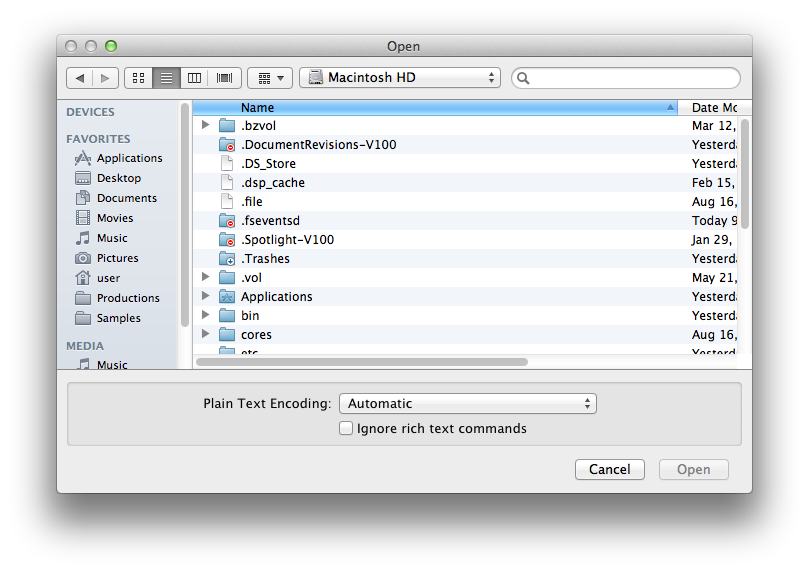
open dialog box

Post navigation

New Website – 24ofFame
iPhone – Shake to Undo

Contact

25% Off First Hour (On-site or Remote)

Email:

tom@pcrepairathome.com

Phone:

608-205-8668

Links:
Google Reviews, Map

Location (Drop-off):
464 N Sherman Ave.
Madison, WI 53704

Hours:
Monday-Friday
8:00am–5:00pm

Search

© 2026 Apple Support Specialist. Proudly powered by Sydney